
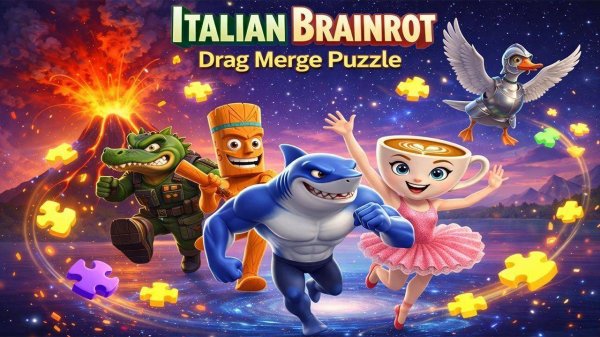
Merge Puzzle Quest
About
Merge Puzzle Quest offers a satisfying twist on traditional jigsaw puzzles. The automatic merging of correctly placed pieces reduces repetitive moves and adds a layer of strategy. Multiple grid sizes cater to all skill levels, and the clean interface keeps you focused. The colorful, family-friendly images are pleasant to work with, and the lack of time pressure makes it perfect for casual play. A great choice for puzzle enthusiasts looking for a fresh challenge.
Game Introduction
Merge Puzzle Quest is a casual puzzle game that offers a fresh take on the classic jigsaw experience. In this game, a vibrant image is divided into a grid of pieces and shuffled randomly. Your goal is to return each piece to its correct position. What sets this game apart is its unique merging mechanic: when two adjacent pieces are correctly placed, they automatically fuse into a single cluster. You can then move that cluster as one unit, which speeds up the solving process and adds a layer of strategy. The game offers multiple grid sizes, making it accessible for beginners and challenging for experts. Each puzzle features family-friendly, colorful images that are pleasant to work with. The interface is clean and intuitive, letting you focus on solving without distractions. Whether you have a few minutes or an hour, this game provides a satisfying mental workout.
How to Play
To play, start by selecting an image and a grid size. The puzzle pieces are scrambled across the board. You can drag any piece or merged cluster to swap its position with another piece or cluster. When two pieces that belong next to each other are placed side by side, they automatically merge into a larger cluster. Continue swapping and merging until the entire image is restored. The game tracks your moves, but there is no time limit, so you can solve at your own pace. Use the merging feature to group correct pieces quickly and reduce the number of swaps needed. The process is intuitive and rewarding.
Game Features
Drag and drop pieces to swap positions. Pieces merge automatically when placed correctly next to each other. Multiple grid sizes from easy to hard. Vibrant, family-safe images. No time pressure or penalties. Clean, simple interface designed for focus.
Tips for Success
Start with smaller grid sizes to get comfortable with the merging mechanic. Focus on placing corner pieces first, as they have fewer neighbors and are easier to merge. Use the merge feature to group correct clusters early, which reduces the number of swaps needed later. Take your time—there is no timer, so careful planning can lead to fewer moves. Practice regularly to improve your spatial reasoning and speed.




Comments
Sign in to comment
You must be logged in before posting a review or rating.
No account? Create one
No comments yet. Be the first to comment!