
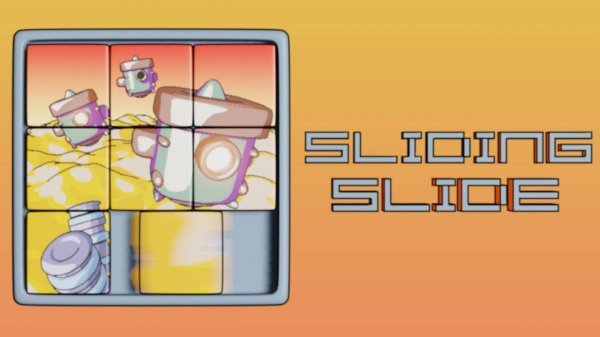
Slide Puzzle Challenge
About
Slide Puzzle Challenge delivers a polished and calming puzzle experience. The six images are well-chosen and visually appealing. The three difficulty levels provide a good range of challenge, from simple 3x3 grids to more complex 5x5 puzzles. The lack of time pressure makes it ideal for unwinding, while the time tracking encourages improvement. The controls are smooth and responsive. A great choice for puzzle lovers of all ages.
Game Introduction
Slide Puzzle Challenge offers a classic puzzle experience where a picture is divided into square tiles arranged in a grid, with one empty space. The tiles are scrambled, and the goal is to slide them one by one into their correct positions to reveal the original image. The game includes six carefully selected images, each providing a distinct visual target. Three difficulty levels adjust the grid size, allowing the puzzle to be as straightforward or as demanding as you prefer. Designed for players of all ages, this game provides a calm yet engaging activity that helps sharpen concentration and patience. Whether you have a few minutes or want a longer session, the pace is entirely your own. The simple mechanics make it accessible to everyone, while the increasing complexity offers a satisfying challenge for experienced puzzle enthusiasts. This game is a digital adaptation of a timeless pastime, perfect for relaxing and exercising the mind.
How to Play
Each puzzle begins with a scrambled grid of tiles. A complete picture is shown as a reference. To move a tile, tap or click on any tile that is directly next to the empty space. That tile will slide into the empty spot. Continue sliding tiles until every tile is in its correct position and the full image is visible. The game records your completion time, encouraging you to improve with each attempt. Beginners can start with a smaller grid, while experienced players can choose larger grids for a more complex puzzle. The controls are intuitive, making it easy for anyone to pick up and play. The core mechanic is straightforward: only tiles adjacent to the empty space can be moved, requiring strategic planning to solve the puzzle efficiently.
Game Features
The game includes six unique images to solve. Three adjustable difficulty levels change the grid size to vary the challenge. The classic sliding puzzle gameplay is easy to learn but offers lasting enjoyment. There is no time pressure, allowing you to play at your own pace. Score tracking lets you see your progress and improvement over time. The clean interface and pleasant visuals make for a relaxing experience suitable for all ages. The game is designed to be accessible on various devices, with simple touch or click controls. The combination of different images and grid sizes provides variety and replayability, ensuring that each session feels fresh and engaging.
Tips for Success
Start with the smallest grid size to become comfortable with the sliding mechanics. Focus on completing one row or column at a time, as this systematic approach reduces confusion. Use the reference image often to guide your moves. Practice regularly to improve your speed and pattern recognition. Stay patient—sliding puzzles require careful planning, and rushing can lead to mistakes. Over time, you will develop strategies for solving larger grids more efficiently.







Comments
Sign in to comment
You must be logged in before posting a review or rating.
No account? Create one
No comments yet. Be the first to comment!