

Chic Boutique Outfit Stylist
About
Chic Boutique Outfit Stylist offers a calm and engaging way to explore fashion coordination. The three themes provide enough variety to keep things interesting, and the lack of a timer allows for thoughtful experimentation. The feedback system helps players understand what makes an outfit work for a specific style. It is a well-designed, family-friendly game that respects the player's time and creativity. The simple controls and browser-based accessibility make it easy to pick up and play anytime.
Theme-Based Wardrobe Challenges
Chic Boutique Outfit Stylist presents players with three distinct style categories to explore. Each category comes with its own set of clothing options, from dresses to accessories. The retro theme focuses on vintage-inspired patterns and classic silhouettes. The hip hop category leans toward bold colors and sporty accents. The denim theme centers on jeans, jackets, and casual wear. Players choose a category and then assemble an outfit using the available pieces. The game then compares the created look against an opponent's selection to see which one better fits the chosen style. This structure encourages thoughtful decision-making about color, texture, and overall harmony.
Creative Freedom Without Time Pressure
One of the standout aspects of this game is the absence of a timer. Players can browse through the wardrobe at their own pace, trying different combinations of dresses, hairstyles, makeup, and accessories. This relaxed approach allows for experimentation and learning. There is no penalty for changing your mind or starting over. The goal is to create a cohesive look that aligns with the theme, not to rush through selections. This makes the game suitable for younger players who are still developing their sense of style, as well as older players who enjoy thoughtful creative activities.
Simple Controls for Broad Accessibility
The game is designed to be played directly in a web browser on both desktop computers and mobile devices. No downloads or installations are required. On a computer, players use a mouse to click on items. On a touchscreen device, tapping on the desired item works the same way. The interface is straightforward, with clear icons and labels for each wardrobe category. A full screen mode is available for those who want a larger view of their creation. The game does not ask for any personal information or require an account, making it a private and hassle-free experience from start to finish.
Feedback and Comparison Mechanics
After finalizing an outfit, the game runs a comparison between the player's creation and the opponent's look. The evaluation is based on how well each outfit matches the chosen theme. The game provides feedback that highlights which elements worked well and where improvements could be made. This feedback loop helps players understand the principles of thematic styling. Over multiple rounds, players can refine their approach and develop a better eye for detail. The opponent is controlled by the game itself, so the focus remains on the player's own creative choices rather than competing against another person.
Visual Presentation and Sharing Options
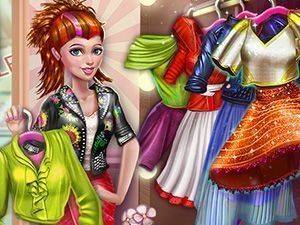
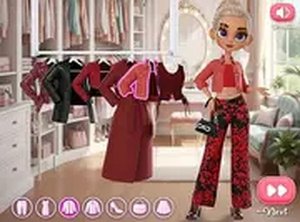
The wardrobe items are presented in a clean, colorful style that makes it easy to see the details of each piece. Players can mix and match across categories to see how different elements work together. Once a look is complete, the game offers the option to save a screenshot of the final outfit. This image can be shared with friends or kept as a personal record of the design. The visual feedback is immediate, allowing players to see how each change affects the overall appearance. This instant visual response is helpful for learning how different pieces interact.






Comments
Sign in to comment
You must be logged in before posting a review or rating.
No account? Create one
No comments yet. Be the first to comment!